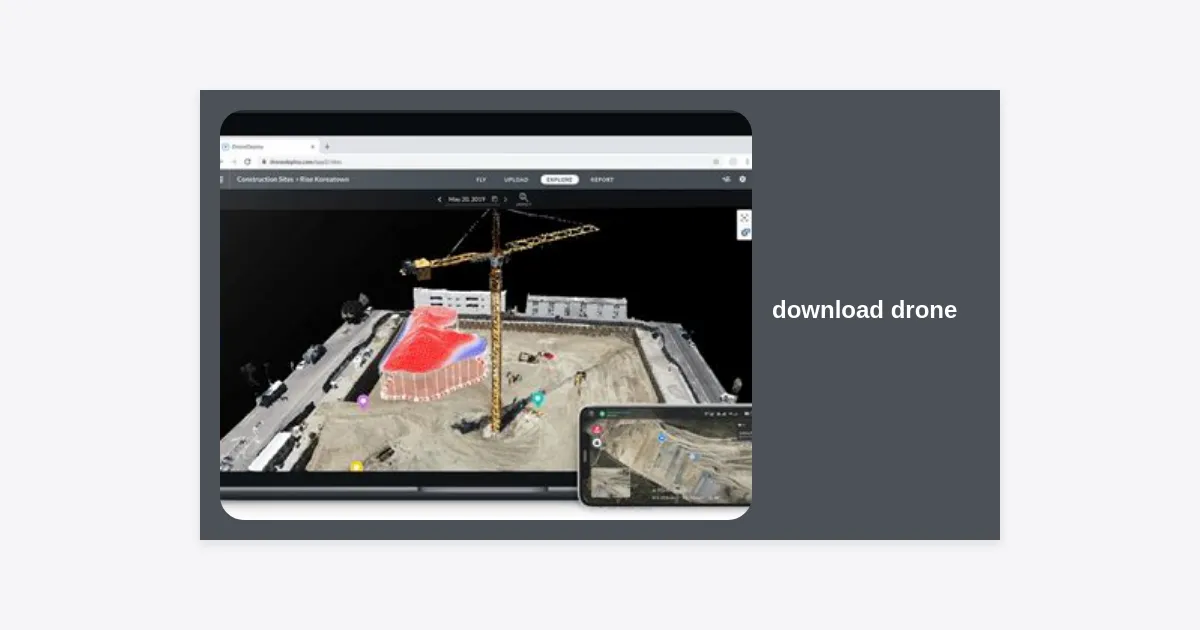
In the rapidly evolving world of unmanned aerial vehicles (UAVs), the ability to effectively download drone software is what separates a novice pilot from a professional. Whether you are looking for the latest flight control app, specialized firmware, or a high-performance flight simulator, having the right software is critical for safety and performance. This comprehensive guide explores every facet of the drone software ecosystem, ensuring your hardware remains updated, compliant, and ready for the skies.
- Why Downloading the Right Drone Software Matters
- Main Categories: Flight Apps, Firmware, and Management
- How to Download Drone Apps for DJI (Fly, Go 4, Pilot)
- The Power of Open Source: ArduPilot and Mission Planner
- Downloading Drone Configurators for FPV and Racing
- Download Drone Simulators: Practice Without the Risk
- Critical Firmware: Why and How to Update
- Security Tips: Avoiding Malware in Drone Software
- Troubleshooting Common Download Issues
- Final Thoughts and Key Takeaways
Why Downloading the Right Drone Software Matters
Many new pilots believe that a drone is purely a piece of hardware. However, modern drones are essentially flying computers. When you download drone applications, you are accessing the interface that controls camera settings, GPS stabilization, and flight safety features.
Without the correct software, you may miss out on “No Fly Zone” updates, which could lead to legal trouble. Furthermore, firmware updates often fix bugs that could cause a “flyaway” or a sudden power failure. Keeping your software ecosystem current is the first step toward professional-grade aerial photography and safe recreational flight.
Main Categories: Flight Apps, Firmware, and Management
Before you hit the download button, it is important to understand exactly what you are looking for. The term “drone software” covers several distinct categories:
- Flight Controller Apps: These are the mobile applications (like DJI Fly or Autel Sky) that you use on your phone or tablet to see the camera feed and control the drone during flight.
- Firmware: This is the low-level software that resides on the drone’s hardware components. It controls the motors, ESCs (Electronic Speed Controllers), and the internal flight controller.
- Desktop Management Suites: Programs like DJI Assistant 2 allow you to perform heavy-duty maintenance, hardware calibrations, and firmware refreshes from a PC or Mac.
- Post-Processing Software: Tools like Pix4D or Adobe Lightroom used to process the images and data your drone captures.
How to Download Drone Apps for DJI (Fly, Go 4, Pilot)
As the market leader, DJI has a specific ecosystem. Interestingly, many of their apps are no longer available on the official Google Play Store, requiring users to download the APK directly from the official website.
To ensure you have the authentic version, always navigate to the official DJI Download Center. Here is a quick reference table for common DJI software:
| Drone Model | Software Needed | Platform |
|---|---|---|
| Mavic 3, Air 2S, Mini 3 Pro | DJI Fly App | iOS / Android (APK) |
| Phantom 4, Mavic 2 Pro | DJI GO 4 | iOS / Android |
| Matrice 300 RTK | DJI Pilot 2 | Android |
If you are looking for a direct link to the latest official drone management software, you can use the button below to reach the manufacturer’s repository.
The Power of Open Source: ArduPilot and Mission Planner
For those who build their own drones or use professional mapping platforms, the download drone process often involves open-source software. ArduPilot is the most advanced, fully-featured, and reliable open-source autopilot software system.
To interact with ArduPilot, you typically download Mission Planner. This is a ground control station that provides point-and-click waypoint entry, flight log analysis, and even a simulation interface. It is an essential tool for commercial drone pilots who require custom flight paths and autonomous missions.
Downloading Drone Configurators for FPV and Racing
FPV (First Person View) drones operate differently. They rely on high-speed maneuvers and require precise tuning. If you are an FPV enthusiast, you will likely need to download drone configurators like Betaflight or INAV.
“The Betaflight Configurator is the gateway to unlocking the true potential of your racing drone. From PID tuning to receiver setup, it is the most critical software a quad pilot will ever use.”
These applications allow you to connect your drone to a computer via USB to adjust the flight characteristics, set up your radio controller, and configure your OSD (On-Screen Display).
Download Drone Simulators: Practice Without the Risk
Why risk crashing a $1,000 drone when you can crash a virtual one for free? One of the most popular searches is to download drone simulators. These simulators provide a hyper-realistic environment to hone your skills.
Popular options include:
- LiftOff: The gold standard for FPV racing.
- DJI Flight Simulator: An enterprise-grade tool for learning how to fly DJI’s specific platforms.
- VelociDrone: Known for its accurate physics and highly competitive multiplayer modes.
Using a simulator for just 10 hours can reduce your chance of a real-world pilot-error crash by over 70%.
Critical Firmware: Why and How to Update
When you download drone firmware updates, you are often receiving critical patches. These are not just for new features; they frequently calibrate the battery sensors to prevent premature power shutdowns.
Step-by-Step Firmware Update Guide
- Ensure your drone battery and controller are at least 50% charged.
- Connect your mobile device to the internet and the controller.
- Power on the drone and the remote.
- The app will usually prompt you if a firmware update is available.
- Follow the on-screen instructions and do not turn off the drone during the process.
Security Tips: Avoiding Malware in Drone Software
Because many drone apps (specifically the DJI Android versions) are distributed as APK files outside of the Play Store, there is a risk of downloading modified, malicious software. Always double-check the URL before you download drone installers.
Expert Tip: Use a checksum tool to verify that the file you downloaded matches the MD5 or SHA-256 hash provided by the manufacturer. This ensures the file hasn’t been tampered with by a third party.
Troubleshooting Common Download Issues
Are you having trouble when you try to download drone files? Here are the most common solutions:
- Insufficient Storage: Drone maps and firmware files can be several gigabytes. Ensure your device has enough room.
- Firewall Blocks: Desktop apps like Mission Planner may be blocked by Windows Defender. You may need to grant an exception.
- Incompatible Hardware: Some high-end drone apps require specific 64-bit processors on smartphones. Check your device specs before downloading.
Final Thoughts and Key Takeaways
To download drone software is to take control of your flight experience. From the convenience of the DJI Fly app to the deep customization of Betaflight and the safety of simulators, software is the heartbeat of modern aviation.
Key Takeaways:
- Always download from official sources or reputable repositories like GitHub for open-source projects.
- Keep both your smartphone apps and your drone firmware updated to ensure maximum safety.
- Practice in a simulator before taking a new or expensive drone into a complex flight environment.
- Pay attention to legal requirements like Remote ID updates that are often delivered via software.
By following these guidelines, you’ll ensure that every flight is as safe, productive, and enjoyable as possible. Happy flying!