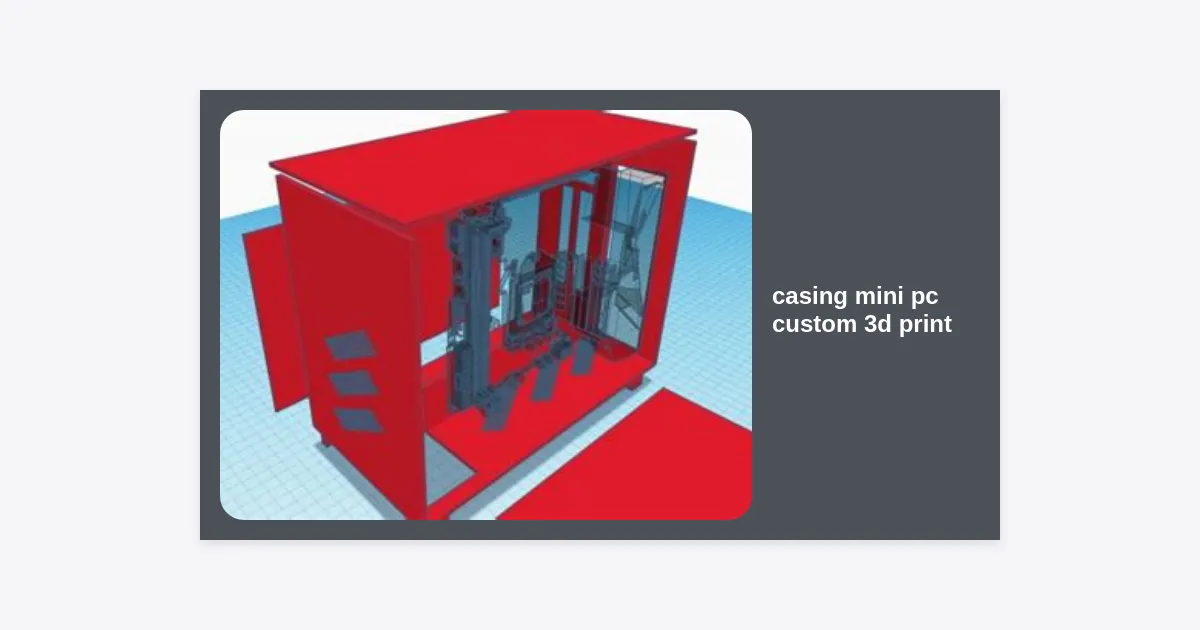
In the world of modern computing, the trend is shifting toward minimalism and efficiency. While powerful towers still have their place, the rise of Small Form Factor (SFF) systems has revolutionized how we think about desktop setups. However, a common frustration for many enthusiasts is the lack of aesthetic variety in off-the-shelf enclosures. This is where a casing mini pc custom 3d print project comes into play. By leveraging additive manufacturing, you can create a enclosure that isn’t just a box, but a statement piece tailored specifically to your hardware and style.
Table of Contents
- Why Choose a Custom 3D Printed Mini PC Case?
- Material Selection: What Works Best for PC Cases?
- Essential Design Principles for Mini PC Casing
- Popular Platforms for Mini PC Builds
- Optimizing Airflow and Thermal Management
- Expert Tips for a Successful 3D Print
- Post-Processing and Finishing Touches
- Conclusion and Next Steps
Why Choose a Custom 3D Printed Mini PC Case?
Finding the perfect enclosure for a small build is often a game of compromise. You might find a case that looks great but lacks ventilation, or one that is functional but too bulky for your desk. When you opt for a casing mini pc custom 3d print, those compromises disappear. 3D printing allows for a level of customization that traditional manufacturing simply cannot match at a consumer price point.
One of the primary advantages is the ability to include integrated mounting points for specialized hardware. Whether you are using a Raspberry Pi, an Intel NUC board, or a Thin-ITX motherboard, you can design the internal structure to hold your components with surgical precision. Furthermore, 3D printing enables complex internal geometries, such as dedicated air ducts, that would be impossible to create via injection molding or CNC machining without significant cost.
Statistically, the SFF market has grown by over 15% annually as users move toward “cleaner” desk setups. A custom case allows you to hide cables within the structure itself, integrate VESA mounts to hide the PC behind a monitor, or even create a themed build inspired by your favorite science fiction aesthetic. The power of casing mini pc custom 3d print lies in the intersection of engineering and art.
Material Selection: What Works Best for PC Cases?
Choosing the right filament is perhaps the most critical decision in your casing mini pc custom 3d print journey. PC components generate heat, and if your material has a low glass transition temperature, your beautiful custom case could warp or sag over time. Below is a comparison of common materials used in this niche.
| Material | Heat Resistance | Ease of Printing | Recommendation |
|---|---|---|---|
| PLA/PLA+ | Low (55-60°C) | Excellent | Prototypes only; risk of warping under load. |
| PETG | Medium (75-80°C) | Good | Good all-rounder for most low-power mini PCs. |
| ABS/ASA | High (95-100°C) | Difficult/Requires Enclosure | Ideal for high-performance builds with significant heat. |
| PC (Polycarbonate) | Very High (110°C+) | Very Difficult | For professional-grade enclosures. |
For most enthusiasts, PETG is the sweet spot. It offers better heat resistance than PLA and is significantly easier to print than ABS. If you are building a high-end mini PC with a dedicated GPU, however, ASA is the superior choice due to its thermal stability and UV resistance, which prevents the case from yellowing or becoming brittle over time.
Essential Design Principles for Mini PC Casing
Designing a casing mini pc custom 3d print requires more than just making a box. You must account for tolerances, structural integrity, and ease of assembly. A common mistake is forgeting the thickness of the walls; for a computer case, a wall thickness of at least 3mm is recommended to ensure the structure doesn’t flex under the weight of the components.
Another vital consideration is the placement of I/O (Input/Output) ports. Ensure you have precise measurements for the motherboard’s backplate or the specific port locations. It is often helpful to download 3D models of your components (RAM, SSD, Motherboard) from sites like GrabCAD to use as “negative space” blocks in your CAD software. This ensures that when you print your casing mini pc custom 3d print, every cable will fit perfectly.
Don’t forget the mounting hardware. 3D printed plastic is not great for repeated screw insertion. Instead of screwing directly into the plastic, design your case to use heat-set brass inserts. These are melted into the plastic using a soldering iron, providing durable metal threads that will allow you to open and close your case hundreds of times without stripping the holes.
Popular Platforms for Mini PC Builds
When starting your project, the hardware you choose will dictate the size and complexity of your casing mini pc custom 3d print. Some of the most popular platforms for custom printing include:
- Intel NUC Boards: These are essentially high-performance laptops in a small square form factor. They are very popular for custom cases because the boards are standardized and compact.
- Framework Motherboards: With the rise of the Framework laptop, many users are repurposing their boards into desktop units using custom 3D printed cases.
- Thin-ITX: These are 17cm x 17cm motherboards designed to be low-profile, making them perfect for ultra-slim custom builds.
- Raspberry Pi / SBCs: While not a “PC” in the traditional sense, Single Board Computers are the most common entry point for casing mini pc custom 3d print enthusiasts due to their low heat and small footprint.
Optimizing Airflow and Thermal Management
Because plastic is an insulator, it does not dissipate heat as well as aluminum or steel cases. This makes thermal management the most important engineering hurdle in a casing mini pc custom 3d print project. To prevent thermal throttling, you must prioritize airflow.
Positive vs. Negative Pressure: In such a small enclosure, aim for a clear path of airflow. Position your intake fan directly over the CPU cooler and provide ample perforated areas for exhaust. Using “hex-grid” or “honeycomb” patterns on the walls of your casing mini pc custom 3d print is a popular choice because it provides structural strength while maximizing the open surface area for air to pass through.
“In SFF builds, turbulence is the enemy. Smoother internal paths and dedicated air ducts can lower CPU temperatures by as much as 10 degrees Celsius compared to a generic open-air design.”
Expert Tips for a Successful 3D Print
Printing a large object like a PC case can take 20 to 50 hours of print time. To ensure you don’t waste filament, follow these professional tips for your casing mini pc custom 3d print:
- Orientation: Print your panels flat on the bed whenever possible. This maximizes bed adhesion and ensures the layers are oriented in a way that provides the most structural strength for the mounting points.
- Infill: Use a Gyroid or Honeycomb infill at 25-40%. These patterns provide high multi-directional strength, which is necessary to support components like power supplies or heavy heatsinks.
- Support Material: Minimize the need for supports by using 45-degree chamfers on overhangs. If you must use supports, consider “tree supports” which are easier to remove and leave less scarring on the visible surfaces of your case.
- Cooling: If printing in PETG, keep your part cooling fan at a lower speed (20-50%) to ensure better layer adhesion, which makes the case more impact-resistant.
Check out our curated list of 3D models to get started with your design.
Post-Processing and Finishing Touches
A casing mini pc custom 3d print truly comes to life during the finishing stage. Raw 3D prints often have visible layer lines. To achieve a professional “factory look,” consider the following steps:
Sanding and Filling: Start with 200-grit sandpaper and move up to 800-grit. For deep lines, use a spray filler primer. This fills in the gaps between layers and provides a smooth surface for painting.
Painting: Use a high-quality automotive spray paint for the best results. A matte finish often looks more premium on small electronics than a high-gloss finish, which tends to highlight any remaining imperfections in the print.
Hardware Integration: Don’t forget the power button! You can find high-quality 12mm or 16mm momentary switches with LED rings on sites like Amazon or AliExpress. Integrating a premium metal button into your casing mini pc custom 3d print can significantly elevate the overall feel of the build.
Conclusion and Next Steps
Building a casing mini pc custom 3d print is a rewarding challenge that combines hardware knowledge with creative design. It allows you to break free from the limitations of mass-produced cases and create something truly unique that fits your specific needs.
To summarize, the key to a successful project is choosing the right material (PETG or ASA), prioritizing airflow in your design, and using proper hardware like heat-set inserts for longevity. Whether you are building a silent media center or a tiny gaming powerhouse, the possibilities are limited only by your imagination and your 3D printer’s build plate.
Ready to start? Begin by measuring your internal components and sketching out a rough layout. The world of custom SFF builds is waiting for your unique contribution!