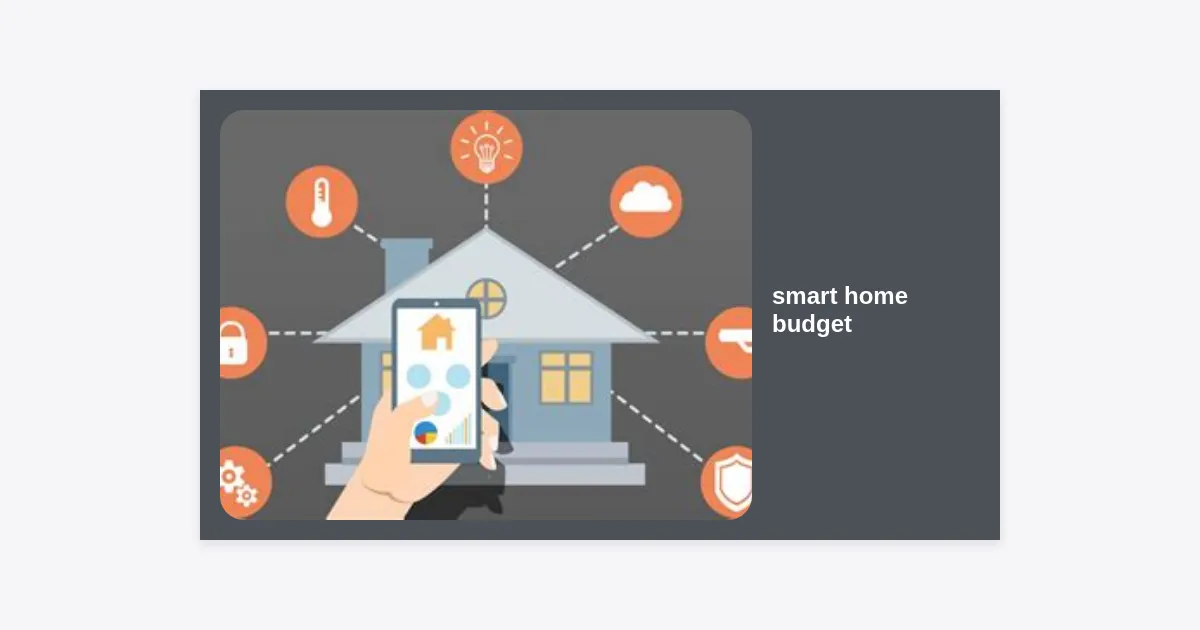
The dream of a home that anticipates your every need—lights that dim as the movie starts, thermostats that adjust before you feel a chill, and security systems that guard your family—is no longer a sci-fi fantasy. However, for many homeowners, the biggest obstacle isn’t the technology itself, but the perceived cost. Establishing a realistic smart home budget is the first and most critical step in transforming your living space into an efficient, automated sanctuary without draining your savings.
Table of Contents
- Why Defining a Smart Home Budget is Essential
- The Three-Tier Approach to Smart Home Spending
- Core Components and Their Estimated Costs
- Hidden Costs: What Most Homeowners Forget
- Expert Strategies to Save Money on Smart Tech
- Calculating the ROI: Energy Savings vs. Initial Cost
- Step-by-Step Implementation Checklist
- Conclusion: Your Smart Home Roadmap
Why Defining a Smart Home Budget is Essential
Without a clear smart home budget, it is incredibly easy to fall into the trap of ‘feature creep.’ You start with a single smart bulb and, before you know it, you have spent thousands on high-end motorized blinds and multi-room audio systems that you rarely use.
A well-planned budget does more than just limit spending; it helps you prioritize. By understanding what you want to achieve—whether it is enhanced security, energy efficiency, or pure convenience—you can allocate your funds to the devices that provide the most value to your specific lifestyle.
According to recent industry data, the average homeowner spends between $500 and $2,000 on their initial smart home setup. However, high-end, fully integrated systems can easily exceed $10,000. Knowing where you fall on this spectrum allows you to choose the right ecosystem (like Apple Home, Google Home, or Amazon Alexa) from the start, avoiding costly compatibility issues later.
The Three-Tier Approach to Smart Home Spending
Every homeowner’s financial situation is unique. To help you navigate your smart home budget, we have broken down professional recommendations into three distinct tiers based on total investment.
Level 1: The Starter Budget ($100 – $500)
This tier is perfect for renters or those who want to dip their toes into automation. This budget focuses on “plug-and-play” devices that offer immediate impact with zero professional installation costs.
- Smart Speaker/Hub: $50 – $100 (Amazon Echo or Google Nest Mini)
- Smart Lighting: $100 – $150 (4-pack of color-changing bulbs)
- Smart Plugs: $50 (Transforming “dumb” appliances)
- Basic Security Camera: $50 – $100 (Battery-powered or USB-tethered)
Level 2: The Enthusiast Budget ($1,500 – $5,000)
At this level, you are moving beyond simple gadgets to a cohesive system. This smart home budget allows for climate control, advanced security, and perhaps some light DIY installation of smart switches.
- Smart Thermostat: $200 – $300 (Ecobee or Nest)
- Video Doorbell & Multiple Cameras: $500 – $800
- Smart Locks: $250 – $500 (Front and back doors)
- Whole-Home Mesh Wi-Fi: $300 – $500 (Crucial for connectivity)
Level 3: The Integrated Luxury Budget ($10,000+)
This tier often involves professional installation and systems like Control4, Crestron, or Lutron Homeworks. It covers motorized window treatments, high-fidelity built-in audio, and dedicated home theater controls.
Note: At this level, labor costs for wiring and programming can account for 20-30% of your total budget.
Core Components and Their Estimated Costs
To accurately build your smart home budget, you need to understand the market price of individual components. Prices vary by brand, but these ranges represent the current market standard for reliable devices.
| Category | Device Type | Estimated Cost |
|---|---|---|
| Infrastructure | Mesh Wi-Fi Router | $150 – $500 |
| Security | Smart Deadbolt | $180 – $300 |
| Climate | Smart Thermostat | $130 – $250 |
| Lighting | Smart Dimmer Switch | $40 – $60 per switch |
Hidden Costs: What Most Homeowners Forget
One of the biggest mistakes in creating a smart home budget is ignoring the ongoing expenses. Hardware is just the beginning.
Subscription Fees
Many smart cameras and doorbells require a monthly subscription for cloud storage. For example, Ring, Nest, and Arlo typically charge between $3 and $15 per month. Over five years, a $10/month subscription adds $600 to your total cost of ownership.
Installation and Wiring
If you live in an older home, your light switches might lack a “neutral wire,” which is required for most smart switches. Hiring an electrician to rewire boxes or install a smart thermostat can cost anywhere from $150 to $500 depending on complexity.
Battery Replacement
While often overlooked, sensors and locks run on batteries. High-end lithium batteries for smart locks can be a recurring cost of $30-$50 annually if you have multiple entry points.
Expert Strategies to Save Money on Smart Tech
You don’t need a massive smart home budget to have a high-tech home. Here are some pro-tips for stretching your dollar:
1. Buy Smart Switches, Not Smart Bulbs: If a room has six recessed lights, buying six smart bulbs could cost $120. A single smart switch costs $45 and controls all of them, plus it allows you to use the physical wall switch without disabling the smart features.
2. Shop During Major Sales: Amazon Prime Day, Black Friday, and Cyber Monday are the “Golden Holidays” for smart home gear. You can often find bundles (e.g., a smart speaker + bulb) for 50% off.
3. Stick to One Ecosystem: Avoid “system fragmentation.” If you buy some Google-focused gear and some Apple-focused gear, you may end up needing additional hubs (bridges) to make them talk to each other, adding unnecessary costs.
4. Local Storage Options: Choose cameras that offer local SD card storage or works with a NAS (Network Attached Storage). This eliminates the monthly cloud subscription fee, saving you hundreds of dollars over time.
“The key to a successful smart home isn’t having the most expensive gadgets; it’s having the most compatible ones that solve actual problems in your daily routine.”
Calculating the ROI: Energy Savings vs. Initial Cost
Can a smart home budget actually pay for itself? In many cases, yes. Let’s look at the data for energy-saving devices.
Smart thermostats can save an average of 10-12% on heating and 15% on cooling. For a family with a $200 monthly utility bill, that is a saving of roughly $25 per month. A $200 thermostat pays for itself in just eight months. Similarly, smart lighting and occupancy sensors ensure lights aren’t left on in empty rooms, contributing to further reductions in electricity usage.
Step-by-Step Implementation Checklist
Follow these steps to ensure your smart home budget stays on track:
- Audit your Wi-Fi: If your router is more than 3 years old, upgrade it first. A weak connection makes even the best smart device useless.
- Identify the “Pain Points”: Do you always forget to lock the door? Is your upstairs too hot? Budget for these solutions first.
- Choose your Voice Assistant: Pick either Alexa, Google, or Siri and stick to it for hardware compatibility.
- Draft your Budget: Allocate 30% for security, 20% for lighting, 20% for climate, and 30% for infrastructure/contingency.
- Download our Planner: Use a spreadsheet to track every purchase and recurring subscription.
Conclusion: Your Smart Home Roadmap
Setting a smart home budget doesn’t mean you have to compromise on quality. It means you are being strategic about your investment. By starting with a strong Wi-Fi foundation, choosing a single ecosystem, and prioritizing energy-saving or security-focused devices, you can build a sophisticated system over time.
Key Takeaways:
- Start small and expand as your budget allows.
- Factor in subscription costs when calculating the total price.
- Prioritize smart switches over bulbs for permanent installations.
- Focus on devices that offer a tangible Return on Investment (ROI) through energy savings.
The best time to start your smart home journey is now. Begin by auditing your current routine, identifying where automation can save you time or money, and building your first budget phase today.