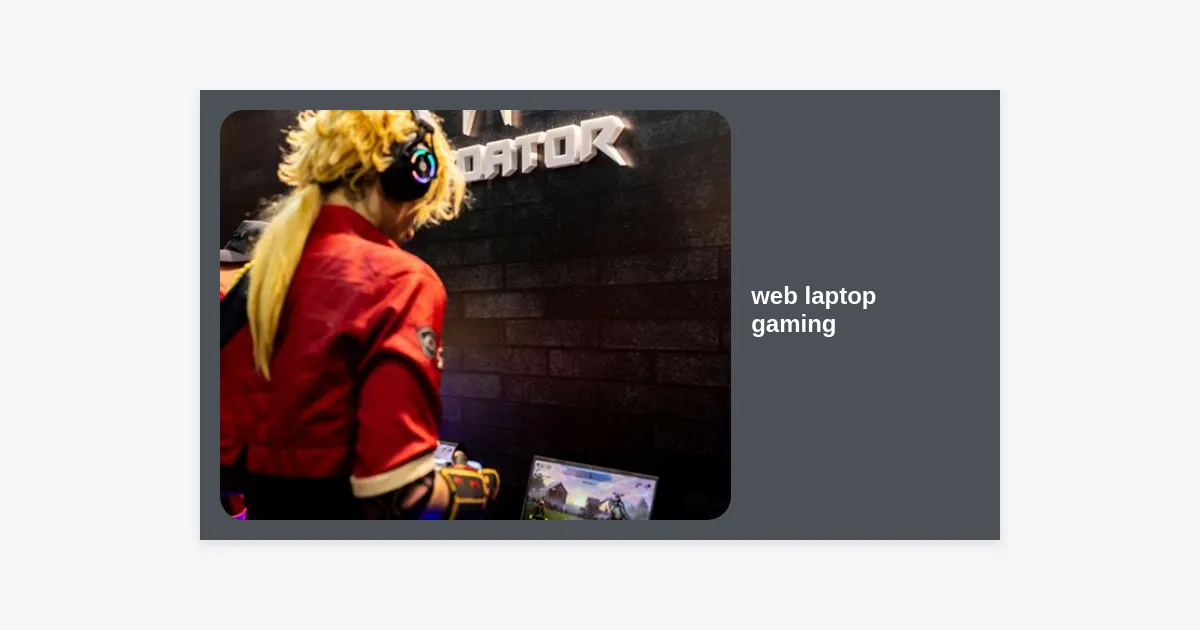
Have you ever found yourself staring at the latest AAA game release, only to realize your modest hardware simply can’t handle the thermal load or processing power required? You are not alone. For years, the barrier to entry for high-end gaming was a $2,000 dedicated rig. However, the rise of web laptop gaming has fundamentally shattered that barrier, allowing users to stream and play complex titles directly through a browser window. Whether you are using a budget Chromebook, an aging MacBook Air, or a standard office laptop, the world of gaming is now open to you without the need for expensive GPU upgrades.
- The Evolution of Web Laptop Gaming
- Why Web Laptop Gaming is Gaining Massive Traction
- Browser Games vs. Cloud Gaming: Understanding the Difference
- Essential Hardware Requirements for a Smooth Experience
- How to Optimize Your Laptop for Web-Based Gaming
- Best Browsers for the Most Fluid Gameplay
- Top Platforms to Kickstart Your Web Gaming Journey
- Troubleshooting Common Connectivity and Lag Issues
- The Future of Gaming: Beyond the Console
- Final Verdict: Is Web Gaming Right for You?
The Evolution of Web Laptop Gaming
To understand where we are, we must look at where we started. In the early 2000s, web gaming was synonymous with Flash—simple, 2D games that provided short bursts of entertainment. Today, web laptop gaming has evolved into a powerhouse ecosystem driven by HTML5, WebGL, and advanced cloud technologies. We have moved from simple block-stacking puzzles to fully realized 3D environments that rival console graphics.
The catalyst for this change was the improvement in internet infrastructure. As fiber optics and 5G became more common, the latency issues that plagued early web games began to disappear. This allowed developers to host the heavy lifting—the rendering and physics calculations—on massive remote servers, sending only the visual data back to your browser.
According to recent industry data, the cloud gaming market, a primary driver of web-based play, is projected to grow by over 40% annually through 2030. This shift proves that gamers are increasingly prioritizing accessibility over local hardware ownership.
Why Web Laptop Gaming is Gaining Massive Traction
Why are millions of players ditching traditional downloads for web laptop gaming? The primary reason is convenience. Traditional gaming requires massive downloads, often exceeding 100GB, and hours of installation time. With web-based platforms, you are into the game in seconds.
- Zero Installation: No more managing storage space or waiting for patches to download.
- Cross-Platform Compatibility: Play on Linux, Windows, macOS, or even ChromeOS with equal performance.
- Cost Efficiency: You don’t need to purchase a new laptop every three years to keep up with system requirements.
- Portability: Your save files are in the cloud, allowing you to switch from your desk to your couch seamlessly.
“Web-based gaming is democratizing the industry. It removes the ‘pay-to-play’ hardware wall, allowing anyone with a stable internet connection to experience the best stories and mechanics the industry has to offer.” – Tech Industry Analyst
Browser Games vs. Cloud Gaming: Understanding the Difference
It is important to distinguish between the two pillars of web laptop gaming. While they both happen in your browser, they function quite differently.
Native Browser Games (HTML5/WebGL)
These games run using your laptop’s local resources (CPU and RAM) but operate entirely within the browser. Think of games like Krunker.io or Venge.io. They are optimized for low-spec hardware and are incredibly fast to load. They are perfect for quick sessions during breaks or when you have limited bandwidth.
Cloud Gaming Services
This is where the “magic” happens. Services like Xbox Cloud Gaming or NVIDIA GeForce Now allow you to run the most demanding games (like Cyberpunk 2077) inside a Chrome or Edge tab. The game is running on a high-end server with an RTX 4080 graphics card elsewhere in the world, and your laptop acts merely as a monitor and input device. This is the pinnacle of current web laptop gaming technology.
Essential Hardware Requirements for a Smooth Experience
Even though the heavy lifting is done elsewhere, your laptop still needs a few basics to handle the incoming video stream without stuttering. If you want a top-tier web laptop gaming experience, check your specs against these recommendations:
Minimum Requirements:
- Processor: Dual-core 2.0GHz or higher.
- RAM: 4GB (8GB is highly recommended for tab-heavy browsers).
- Internet Speed: 15 Mbps for 720p at 60fps.
- Browser: Latest version of Chrome, Edge, or Safari.
Recommended “Pro” Setup:
- Processor: Quad-core Intel i5 or AMD Ryzen 5.
- Internet Speed: 50+ Mbps via Ethernet or 5GHz Wi-Fi.
- Display: 1080p resolution with at least 60Hz refresh rate.
- Peripherals: A dedicated gaming mouse or a compatible Bluetooth controller.
How to Optimize Your Laptop for Web-Based Gaming
To get the most out of web laptop gaming, you cannot just open a browser and hope for the best. You need to tune your environment. Here are actionable steps to reduce lag and increase frame rates:
- Enable Hardware Acceleration: Go into your browser settings and ensure “Use hardware acceleration when available” is toggled on. This allows the browser to use your integrated GPU to decode the video stream, taking the load off the CPU.
- Close Irrelevant Tabs: Modern browsers are resource hogs. Every open tab steals RAM and CPU cycles. Close everything except your game tab.
- Use Ethernet: Wi-Fi is prone to interference and “jitter.” A physical Ethernet cable is the single best upgrade for any gamer.
- Update Graphics Drivers: Even if you don’t have a dedicated GPU, your integrated Intel or AMD graphics drivers need to be current to handle modern video codecs like AV1 or VP9.
- Disable Browser Extensions: Ad-blockers and VPN extensions can sometimes interfere with the connection or add unnecessary latency.
Best Browsers for the Most Fluid Gameplay
Not all browsers are created equal for web laptop gaming. Depending on your operating system, one might significantly outperform the others.
1. Google Chrome: The gold standard. Because most cloud services are built on Chromium, Chrome offers the best compatibility and support for the latest web features.
2. Microsoft Edge: Surprisingly, Edge is often faster than Chrome for gaming on Windows. It includes a feature called “Clarity Boost” specifically designed to make cloud gaming streams look sharper and more vibrant.
3. Safari: If you are on a MacBook, Safari is highly optimized for power consumption. While it lacks some of the niche gaming features of Edge, it will keep your battery alive longer during mobile sessions.
Top Platforms to Kickstart Your Web Gaming Journey
Ready to jump in? Here are the best platforms currently leading the web laptop gaming charge. These services offer browser-based access, meaning you don’t need to download a standalone launcher.
| Platform | Best For | Browser Support |
|---|---|---|
| Xbox Cloud Gaming | Subscription-based AAA titles | Excellent (Chrome/Edge/Safari) |
| NVIDIA GeForce Now | High-end graphics & Ray Tracing | Excellent (Chrome/Edge) |
| Poki / CrazyGames | Casual & Indie browser titles | Universal |
| Amazon Luna | Prime Members and casual play | Strong (Chrome/Safari) |
For more detailed information on how to configure these platforms for your specific machine, you can download our comprehensive setup guide below.
Troubleshooting Common Connectivity and Lag Issues
Nothing ruins web laptop gaming like input lag. Input lag is the delay between pressing a button and seeing the action on the screen. If you are experiencing this, try the following:
Check Your Ping: Use a site like Speedtest.net. If your ping (latency) is higher than 50ms, you will likely feel a delay. Aim for under 20ms for a “local-feel” experience.
5GHz vs 2.4GHz: If you must use Wi-Fi, ensure you are connected to the 5GHz band. The 2.4GHz band is crowded with signals from microwaves, baby monitors, and older devices, which causes signal drops.
Disable Location Services: On macOS and Windows, location services periodically scan for Wi-Fi networks in the background to triangulate your position. These scans cause momentary spikes in latency. Disable them in system settings while gaming.
The Future of Gaming: Beyond the Console
The trajectory of web laptop gaming points toward a future where hardware is irrelevant. We are seeing the integration of gaming directly into YouTube and Netflix. Soon, you might see a trailer for a game and click a “Play Now” button that immediately loads the game in your browser tab.
Furthermore, the development of WebGPU—a new web standard—will allow browsers to access the hardware of your laptop even more efficiently. This will bridge the gap between native applications and web applications, making the browser a first-class citizen in the gaming world.
Final Verdict: Is Web Gaming Right for You?
In conclusion, web laptop gaming is no longer just a compromise for those who can’t afford a gaming PC; it is a viable, high-quality alternative that offers unparalleled flexibility. It allows users to stay on the cutting edge of software without the constant cycle of hardware upgrades.
Key Takeaways:
- Web gaming eliminates the need for expensive hardware and large downloads.
- Cloud services like Xbox and NVIDIA have revolutionized what is possible in a browser.
- Optimization (Ethernet, hardware acceleration, 5GHz Wi-Fi) is vital for the best experience.
- The future of the industry is shifting toward browser-accessible, instant-play models.
If you haven’t tried it yet, fire up your browser, head to one of the platforms mentioned above, and experience the freedom of playing anywhere. The barrier to entry has officially been removed.